

What Is Cat6a? Best Applications and Patch Panel Buying Guide

Featured Cat6a Patch Panel

48-Port Shielded Cat6a Patch Panel, 1U
Model 720519
For installations that need 48 shielded Cat6a terminations in one rack unit, with 90° top-entry IDC terminals and an integrated cable-management bar.
Compare Other Cat6a Patch Panel Options
Choose by port count, shielding and rack height. Each model links directly to its product page.

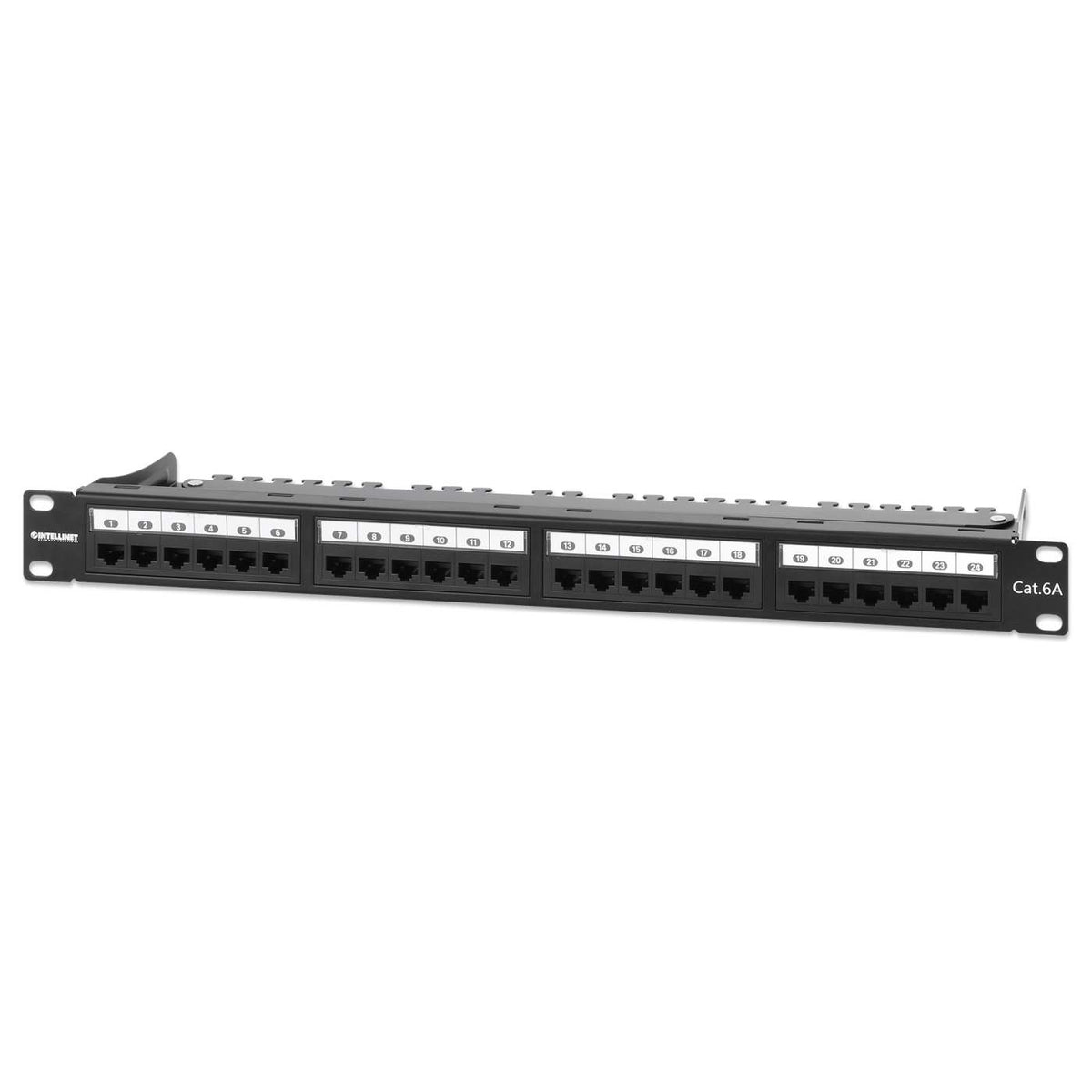

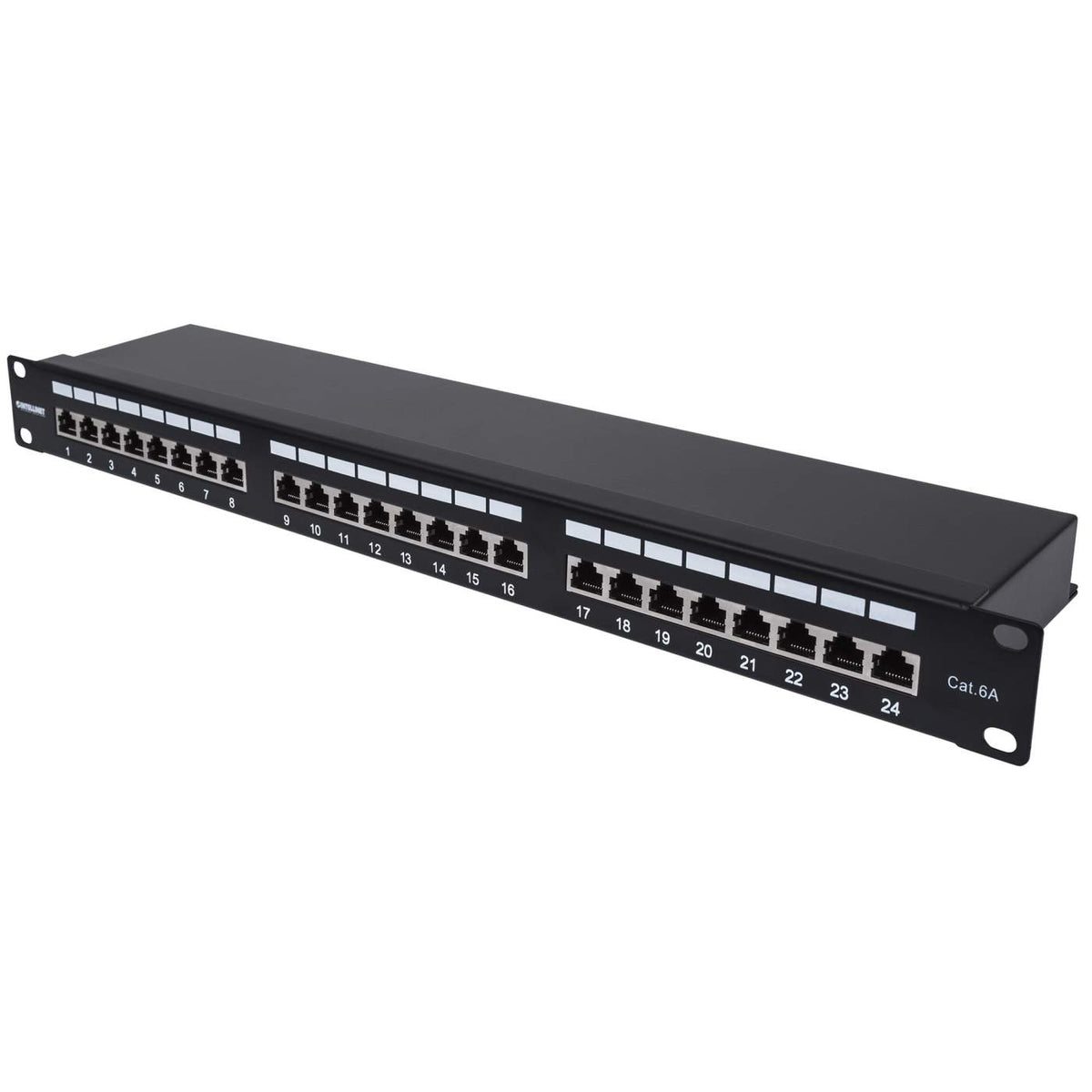
Check each product page for current availability before ordering.
Cat6a Explained
What Is Cat6a, and When Is It Worth Using?
Cat6a, short for Category 6 Augmented, is a twisted-pair copper cabling category designed for reliable 10 Gigabit Ethernet across a standards-compliant channel up to 328 ft. It operates at frequencies up to 500 MHz and is commonly specified for commercial structured cabling systems where higher network speeds, long cable runs or growth in connected devices are expected.
In a structured cabling installation, a Cat6a patch panel provides an organized termination point for the permanent cable runs. The panel connects to network switches through short patch cords, making it easier to label, trace and change connections without disturbing the permanent cabling.
A patch panel is passive. It helps preserve channel organization and performance, but actual link speed depends on the complete channel and the connected active equipment.
When does Cat6a make sense?
Choose Cat6a when you need a cabling channel designed for 10GBASE-T at full standard distance, are deploying higher-bandwidth network devices, or want the permanent cabling in a new installation to accommodate future network upgrades. For a small network that will remain at 1 Gbps, properly installed Cat6 may be sufficient.
Cat6 vs. Cat6a: What Changes?
Both categories can support conventional Ethernet applications, but the difference becomes more important when planning 10G links and longer horizontal cable runs. Cat6a is engineered for improved control of crosstalk, including interference between neighboring cables.
| Category | Cat6 | Cat6a |
|---|---|---|
| Rated frequency | 250 MHz | 500 MHz |
| 10G expectation | May support 10G on shorter, qualified runs depending on installation and interference conditions. | A properly installed, tested Cat6a channel is designed to support 10GBASE-T over the full standard channel length of 328 ft. |
| Typical fit | Widely used for 1G networking.Good fit for many conventional 1G networks | Useful when planning 10G links, longer runs and more headroom for future upgrades.Good fit for higher-bandwidth and long-term cabling plans |
Neither cable category makes a network switch or device faster by itself. Actual link speed depends on compatible active equipment and the performance of the entire installed channel, including the cable, jacks, patch panel and patch cords.
Best Applications
Where Cat6a Patch Panels Make the Most Sense
Cat6a is especially useful where the network cabling will remain in place for years while connected equipment changes. These are common situations where specifying a Cat6a patch panel can be a practical choice.
Office and Campus Network Upgrades
For new cabling or major renovations, Cat6a provides a 10G-capable foundation between telecommunications rooms and work areas, helping reduce the need to replace permanent cabling when network equipment is upgraded.
Multigigabit Wi-Fi Access Points
Some Wi-Fi 6E and Wi-Fi 7 access points use 2.5G, 5G or 10G Ethernet uplinks. Cat6a is a useful choice for new access-point runs, especially where longer distances and future upgrades are part of the design.
10G Workstations and Network Storage
Engineering, media-production and other data-intensive environments may benefit from 10G copper connections between endpoints and the switching infrastructure. Cat6a supports those links when the rest of the channel is appropriately rated.
PoE-Powered Building Systems
Access points, cameras, access-control devices and building controls can share the cabling infrastructure. Cat6a is often a good specification for new, higher-power PoE installations, particularly where cable bundles and heat rise need to be considered.
High-Density Network Cabinets
In busy telecommunications closets, a 48-port panel can terminate more cable runs in one rack unit. The 48-port shielded 1U model 720519 is one example.
Electrically Noisy Environments
Where a cabling design calls for additional electromagnetic interference protection, shielded Cat6a components can help. The shield must be part of a compatible, properly bonded system; Cat6a itself does not always require shielding.
Patch Panel Selection
How to Choose the Right Cat6a Patch Panel
Once Cat6a is the right cable category for the project, the patch panel decision comes down to the installed cable type, the number of runs and how the rack is laid out.
| What to compare | What it means for the installation |
|---|---|
| Shielded or Unshielded? | Match the panel to the cable system. Unshielded Cat6a panels suit many conventional offices and commercial networks. Shielded panels are appropriate where the cabling design requires EMI protection; they should be paired with compatible shielded components and proper bonding. For example, Intellinet offers 48-port unshielded and 48-port shielded configurations. |
| 24 Ports or 48 Ports? | Start with the number of permanent cable runs, then allow room for realistic additions. A 24-port panel works well for smaller cable counts; a 48-port panel offers more terminations in the same 1U height when vertical rack space is limited. |
| 0.5U or 1U Rack Height? | A 1U panel occupies approximately 1.75″ of rack height. The 24-port shielded 0.5U option occupies about half that height, which can be helpful in compact cabinets. Rack height does not determine data speed. |
| Termination Direction and Cable Compatibility | Top-entry 90° IDC terminals and straight-entry 180° terminals route the cable bundle differently. Choose based on cabinet clearance and access to the rear of the panel. Check the approved wire gauge, cable construction and termination-tool requirements for the specific model. |
The rest of the network matters too: a Cat6a-rated patch panel should be used with appropriately rated cable, jacks and patch cords when a complete Cat6a channel is required.
Cat6a Patch Panel Installation: A Quick Overview
Experienced installers will recognize the general workflow. Always follow the specific panel instructions, project standards and local requirements for cable termination and bonding.
Plan the rack and port map
Confirm the cable count, rack location, panel height and the labeling scheme before mounting the panel.
Route and terminate the cable runs
Maintain the cable's bend radius and pair geometry, follow the panel's T568A or T568B color code, and use the required termination tools.
Secure and bond as required
Provide strain relief, organize the rear cable bundle and follow the specified grounding and bonding procedure for shielded components.
Test, label and patch to the switch
Test or certify the installed links as the project requires, then connect the patch panel to the appropriate switch ports using compatible patch cords.
Frequently Asked Questions About Cat6a
What is the main difference between Cat6 and Cat6a?
Cat6 is rated to 250 MHz, while Cat6a is rated to 500 MHz and is designed for 10GBASE-T over a standards-compliant 328 ft channel. Cat6 can support 10G on some shorter qualified installations, but it is not specified for the same full-distance 10G performance.
Do I need Cat6a for a 1G network?
Not necessarily. Properly installed Cat6 can be sufficient for a network that will stay at 1 Gbps. Cat6a becomes more attractive when the project includes 10G, longer high-speed runs or a new permanent cabling system intended to serve later network upgrades.
Is every Cat6a patch panel shielded?
No. Cat6a patch panels are available in both shielded and unshielded configurations. Select the type that matches the cable and the overall channel design, rather than assuming that Cat6a always requires shielding.
Can Cat6a patch panels support PoE and PoE++?
Compatible Cat6a panels can pass PoE through a properly designed cabling channel, but they do not generate power. Confirm the panel's published PoE rating and the full cabling design. Intellinet model 720519 specifies support for IEEE 802.3bt.
Will installing a Cat6a patch panel make a network faster?
No. A patch panel is a passive connection point. Faster links also require compatible switches, network interfaces, cabling and terminations. A Cat6a panel helps preserve the required channel performance; it does not change an endpoint's Ethernet capability.
Should I buy a 24-port or 48-port Cat6a patch panel?
Choose based on the number of cable runs and how much rack space is available. A 24-port panel may be easier to match to a smaller installation; a 48-port 1U model is useful when high connection density is the priority.
Can I mix Cat6 and Cat6a components?
They are generally interoperable at the connector level, but the full channel is limited by the lowest-rated component and by installation quality. For a certified Cat6a channel, use compatible Cat6a-rated components throughout.
Complete the Cabling Installation
Related Cat6a Cables and Connectors
Pair the patch panel with components that match your channel's Cat6a rating and shielding requirements. These product families cover rack patching, wall-plate terminations and protected cable connections.


Find the Right Cat6a Patch Panel
Compare port counts, shielded and unshielded designs, and rack-mount configurations before planning your next structured cabling installation.


